Agentic Workflows - 自然言語でCI/CD
Agentic Workflowsとは
Section titled “Agentic Workflowsとは”- GitHub Nextが2025年夏頃に公開
- 自然言語でCI/CDを定義・実行できる仕組み
- 従来のYAMLベースではなく、マークダウン記法で記述する
- GitHubが掲げる継続的AI(Continuous AI)的な世界観を実装したツールの一例といえる
- 研究目的のデモンストレーション段階であるため、機能や仕様が大きく変わる可能性があり、本番運用向けには推奨されていない
- 公式プロジェクトページ: https://githubnext.com/projects/agentic-workflows/
補足: GitHub Nextとは
Section titled “補足: GitHub Nextとは”- GitHubの研究開発(R&D)部門
- 将来のGitHubに繋がりうるプロトタイプや概念実証を公開
- 公式サイト: https://githubnext.com/
補足: 継続的AI(Continuous AI)とは
Section titled “補足: 継続的AI(Continuous AI)とは”- AIが一度きりの支援ではなく、継続的に開発プロセスへ関与するという考え方
- コーディングだけでなく、レビュー・CI/CD・運用までを対象とする発想
- 説明: https://githubnext.com/projects/continuous-ai/
- リポジトリの準備
$ git clone https://github.com/tyokinuhata/aw-sample.git$ cd aw-sample
$ git commit --allow-empty -m "Initial commit"[main (root-commit) 6546163] Initial commit
$ git push origin maingh(GitHub CLI)の設定
$ brew install gh
$ gh --versiongh version 2.86.0 (2026-01-21)https://github.com/cli/cli/releases/tag/v2.86.0
$ gh auth login? Where do you use GitHub? GitHub.com? What is your preferred protocol for Git operations on this host? HTTPS? Authenticate Git with your GitHub credentials? Yes? How would you like to authenticate GitHub CLI? Login with a web browser
! First copy your one-time code: XXXX-XXXXPress Enter to open https://github.com/login/device in your browser...
✓ Authentication complete.- gh config set -h github.com git_protocol https✓ Configured git protocol✓ Logged in as tyokinuhata- Agentic Workflowsの設定
- APIキーはGitHub Copilot、OpenAI、Claudeが利用可能
$ gh extension install githubnext/gh-aw
$ gh aw versiongh aw version v0.37.4
$ gh secret set ANTHROPIC_API_KEY -a actions --body "<your-anthropic-api-key>"✓ Set Actions secret ANTHROPIC_API_KEY for tyokinuhata/aw-sample
ワークフローの作成
Section titled “ワークフローの作成”- ワークフローの定義はマークダウン形式で
.github/workflows/*.mdに配置する
$ mkdir -p .github/workflows$ touch .github/workflows/hello-aw.md- マークダウンの前にYAMLフロントマターを記述し、トリガーや権限、使用するAI等を設定
- 今回は、issueを作成するシンプルなワークフローにしてみた
- 日本語による記述にはまだ対応していない模様
---name: Hello, Agentic Workflowson:  workflow_dispatch:
permissions:  contents: read  issues: read
engine: claude
safe-outputs:  create-issue:    title-prefix: "[agentic] "    max: 1---
1. Create a new GitHub issue in this repository.2. Set the title to "Agentic Workflows smoke test".3. In the issue body, write a short greeting and include today's date in YYYY-MM-DD format.- コンパイル
- 警告が出ているが気にしない
- 3つのファイルが生成される
.github/aw/actions-lock.json- Agentic Workflows の依存関係のロックファイル
.github/workflows/hello-aw.lock.yaml- GitHub Actionsが実際に実行するワークフロー
.gitattributes.github/workflows/*.lock.ymlのGitの設定
$ gh aw compile hello-aw.github/workflows/hello-aw.md:1:1: warning: Missing required permissions for github toolsets:  - pull-requests: read (required by pull_requests)
To fix this, you can either:
Option 1: Add missing permissions to your workflow frontmatter:permissions:  pull-requests: read
Option 2: Reduce the required toolsets in your workflow:Remove or adjust toolsets that require these permissions:  - pull_requests
✓ .github/workflows/hello-aw.md (55.5 KB)⚠ Compiled 1 workflow(s): 0 error(s), 1 warning(s)
ワークフローの実行
Section titled “ワークフローの実行”- まずは手元での実行
- まだ動作が不安定なこともあり、エラーが出力されているが、ワークフローは動作していた
$ gh aw run hello-awℹ Running 1 workflow(s)...Successfully triggered workflow: hello-aw.lock.ymlfatal error: all goroutines are asleep - deadlock!
goroutine 1 [select]:github.com/charmbracelet/bubbletea.(*Program).Send(...)        github.com/charmbracelet/bubbletea@v1.3.10/tea.go:775github.com/charmbracelet/bubbletea.(*Program).Quit(...)        github.com/charmbracelet/bubbletea@v1.3.10/tea.go:789github.com/githubnext/gh-aw/pkg/console.(*SpinnerWrapper).StopWithMessage(0x0?, {0x1052e359e, 0x16})        github.com/githubnext/gh-aw/pkg/console/spinner.go:113 +0x9cgithub.com/githubnext/gh-aw/pkg/cli.getLatestWorkflowRunWithRetry({0x14000034738, 0x11}, {0x0, 0x0}, 0x0)        github.com/githubnext/gh-aw/pkg/cli/run_workflow_tracking.go:152 +0xdfcgithub.com/githubnext/gh-aw/pkg/cli.RunWorkflowOnGitHub({0x105775c80, 0x105da06e0}, {0x16b3530bb, 0x8}, 0x0, {0x0, 0x0}, {0x0, 0x0}, {0x0, ...}, ...)        github.com/githubnext/gh-aw/pkg/cli/run_workflow_execution.go:455 +0x2b88github.com/githubnext/gh-aw/pkg/cli.RunWorkflowsOnGitHub.func1()        github.com/githubnext/gh-aw/pkg/cli/run_workflow_execution.go:588 +0x360github.com/githubnext/gh-aw/pkg/cli.ExecuteWithRepeat({0x0, {0x0, 0x0}, {0x1052e3588, 0x16}, 0x140001fd860, 0x0, 0x0})        github.com/githubnext/gh-aw/pkg/cli/retry.go:38 +0x90github.com/githubnext/gh-aw/pkg/cli.RunWorkflowsOnGitHub({0x105775c80, 0x105da06e0}, {0x1400044fb50, 0x1, 0x1}, 0x0, 0x0, {0x0, 0x0}, {0x0, ...}, ...)        github.com/githubnext/gh-aw/pkg/cli/run_workflow_execution.go:603 +0x494main.init.func8(0x105d68e00, {0x1400044fb50, 0x1, 0x1})        github.com/githubnext/gh-aw/cmd/gh-aw/main.go:356 +0x39cgithub.com/spf13/cobra.(*Command).execute(0x105d68e00, {0x1400044fb20, 0x1, 0x1})        github.com/spf13/cobra@v1.10.2/command.go:1015 +0x7d4github.com/spf13/cobra.(*Command).ExecuteC(0x105d67cc0)        github.com/spf13/cobra@v1.10.2/command.go:1148 +0x350github.com/spf13/cobra.(*Command).Execute(...)        github.com/spf13/cobra@v1.10.2/command.go:1071main.main()        github.com/githubnext/gh-aw/cmd/gh-aw/main.go:625 +0xd4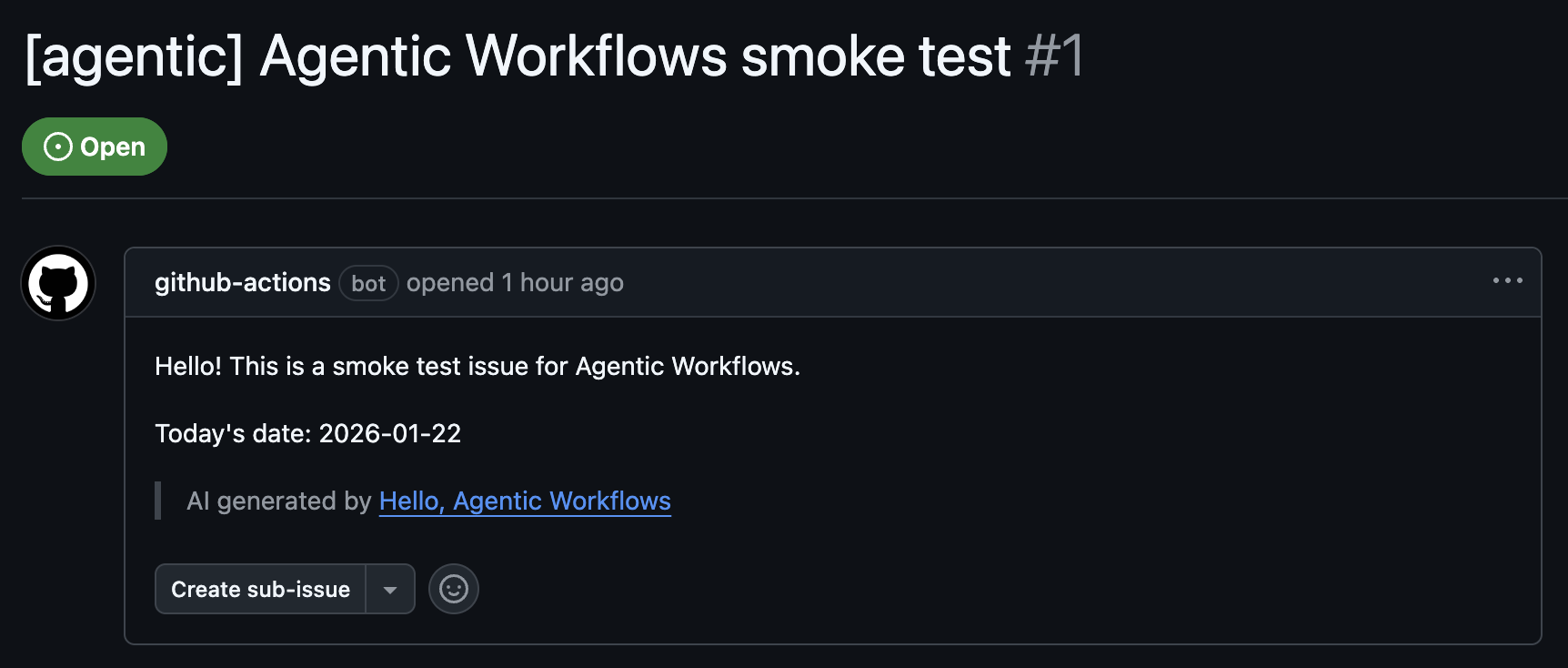
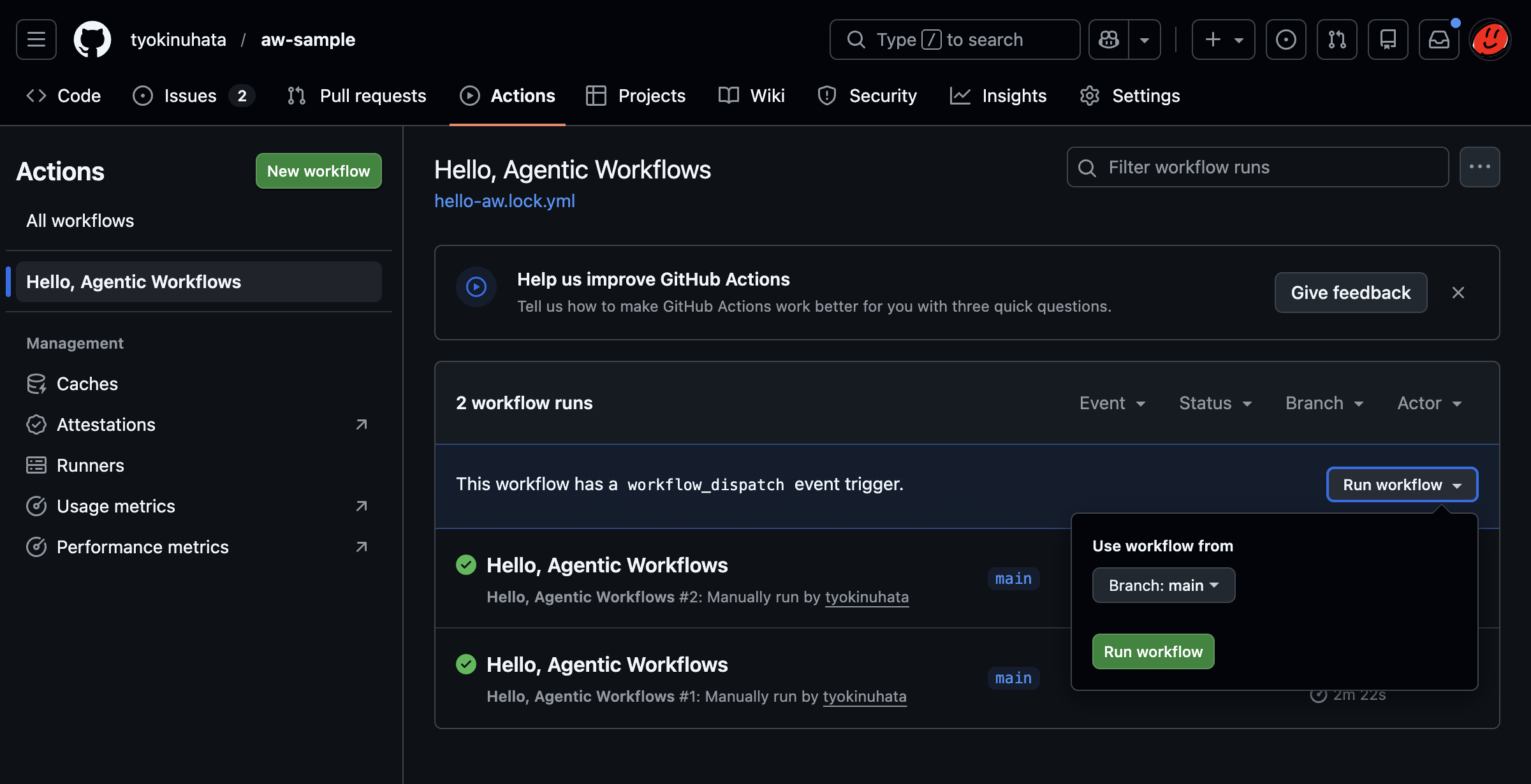
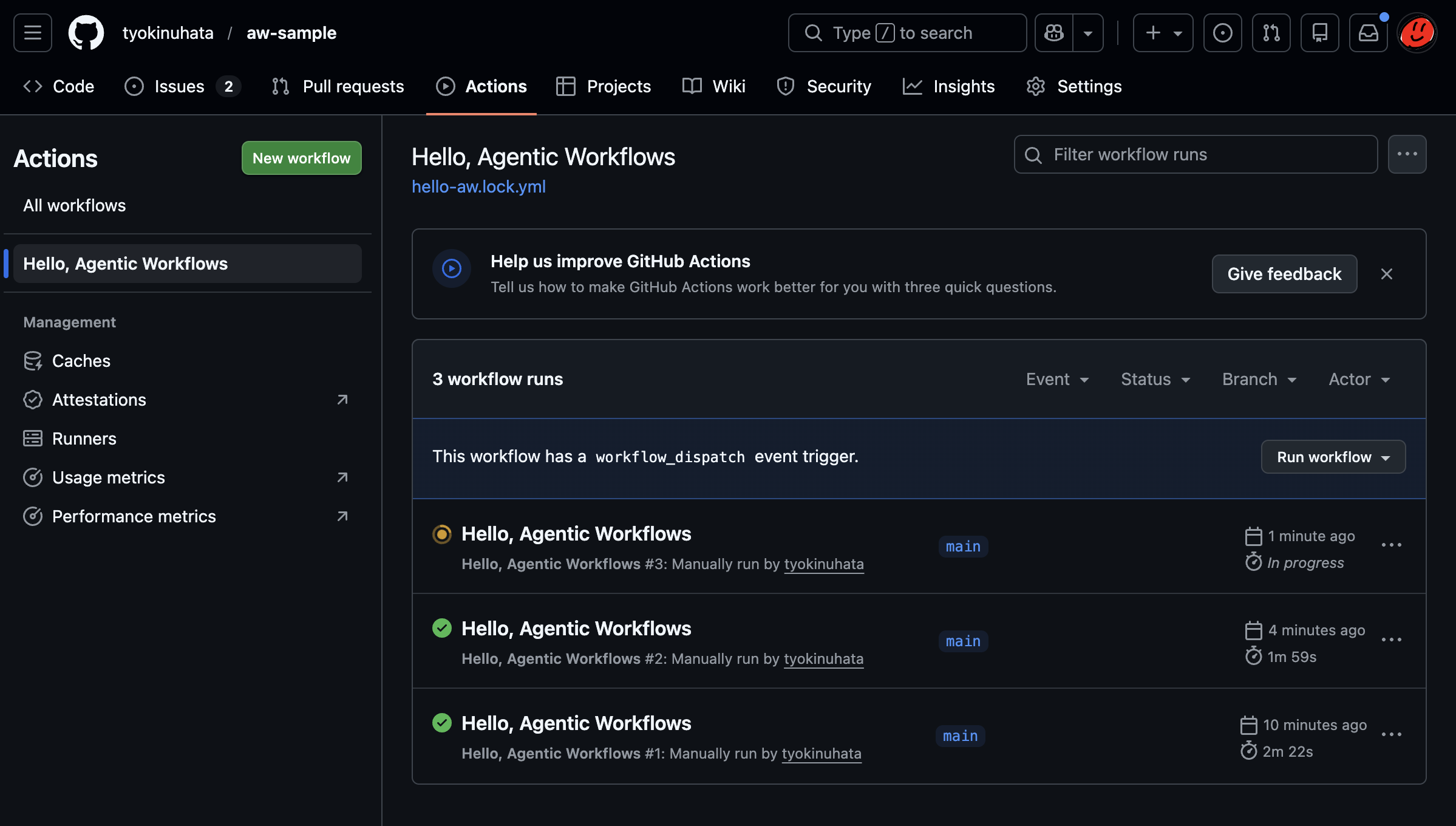
- GitHubから実行
- 今回は手動実行だが、PR作成等をトリガにすることも従来通り可能
- AIエージェントに直接CI/CDのワークフローを書いてもらうのはよくやる
- 自然言語で記述したワークフローをコンパイルして実際のワークフローとして起こすというのは新鮮
- 改修する際も人間は自然言語で定義されたワークフローを読めば良いので、認知負荷は下がりそう
- 一方で、CI/CD上にLLMがいて、自律的に処理をするような方向性のツールも見てみたい